
SolarIT Labs / Product
Organizing Platform
Everyone you organize. One place to work.
Organizing Platform keeps every supporter, donor, volunteer and member in one database, then puts the tools to reach them, organize them and raise money on top. Email, texts, the website, events, donations and automations all work from the same records, so the whole team sees the same picture.
Election campaigns, non-profits, advocacy groups and community associations: organizations that run on people.
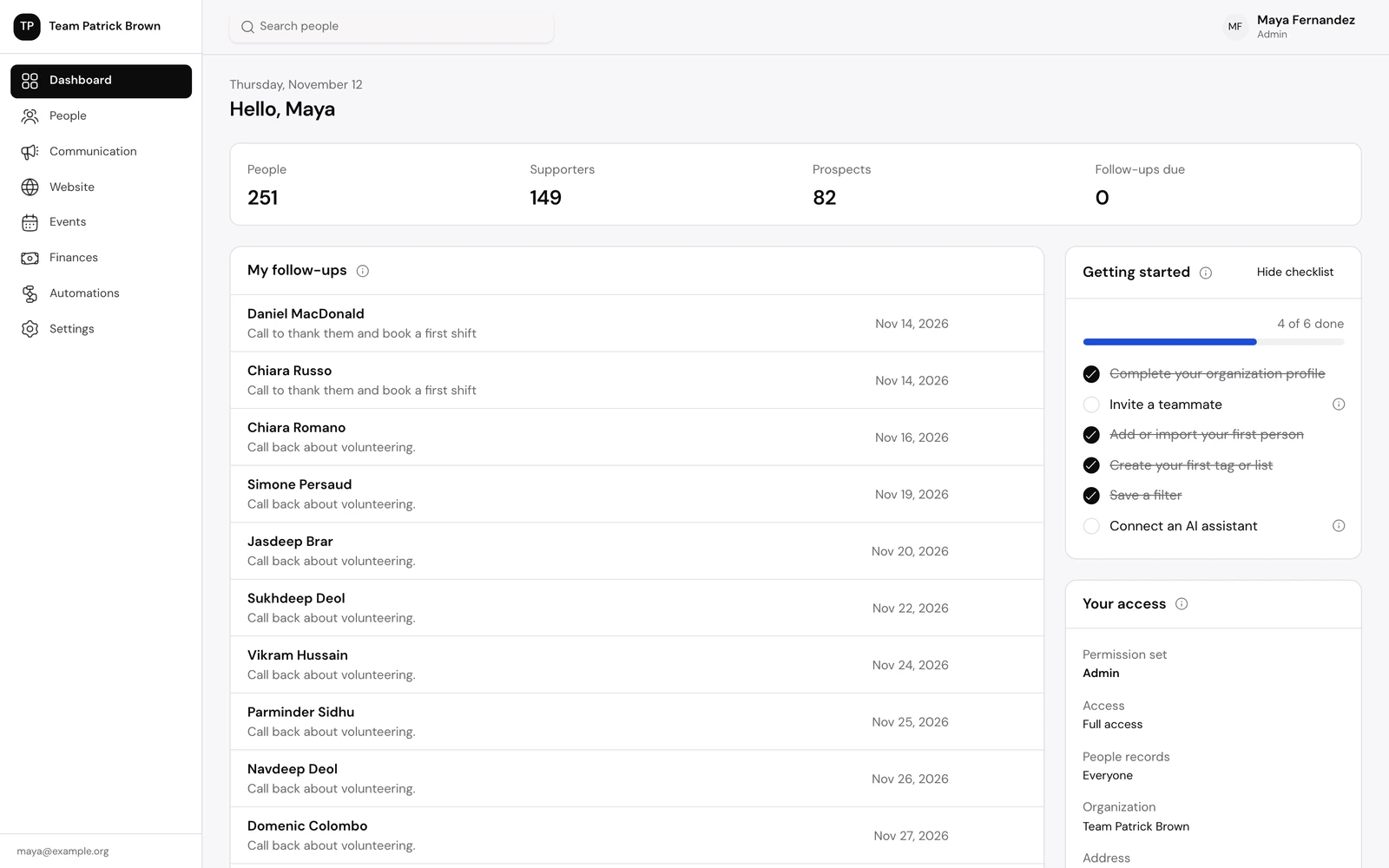
01 / People
One record per person. Every detail in reach.
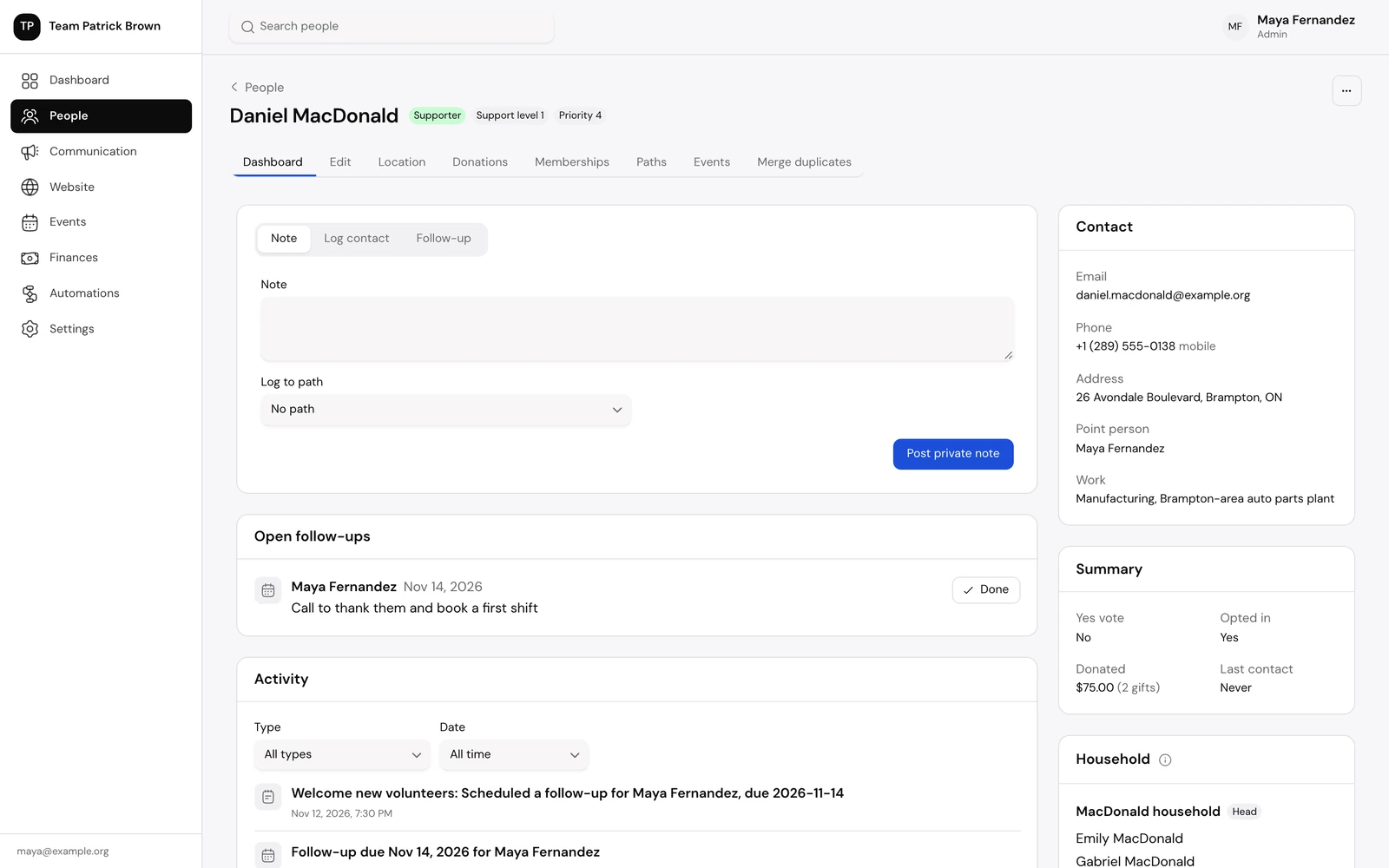
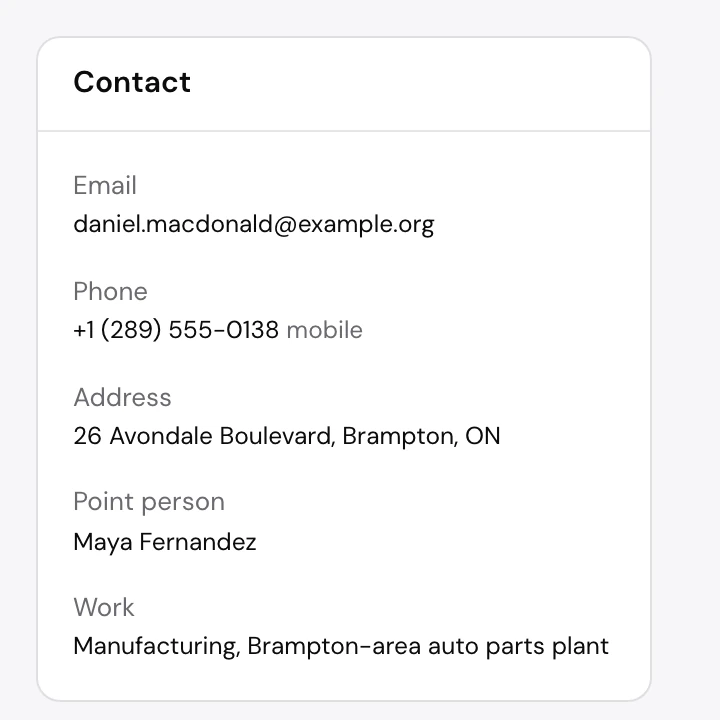
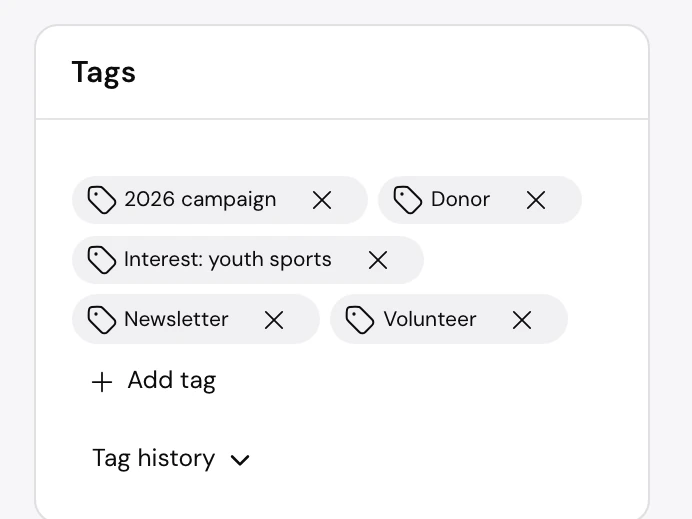
A profile brings together who someone is, how they help and what the team has done with them. Notes, calls, follow-ups, gifts, paths and automation steps land on one timeline, so nobody starts a conversation cold.
- Contact details, support level, priority and point person up top
- Post a note, log a call or set a follow-up in place
- Tabs for location, donations, memberships, paths and events
- Tags, custom fields, household and relationships alongside
02 / Lists and Paths
Find the right people. Then move them along.
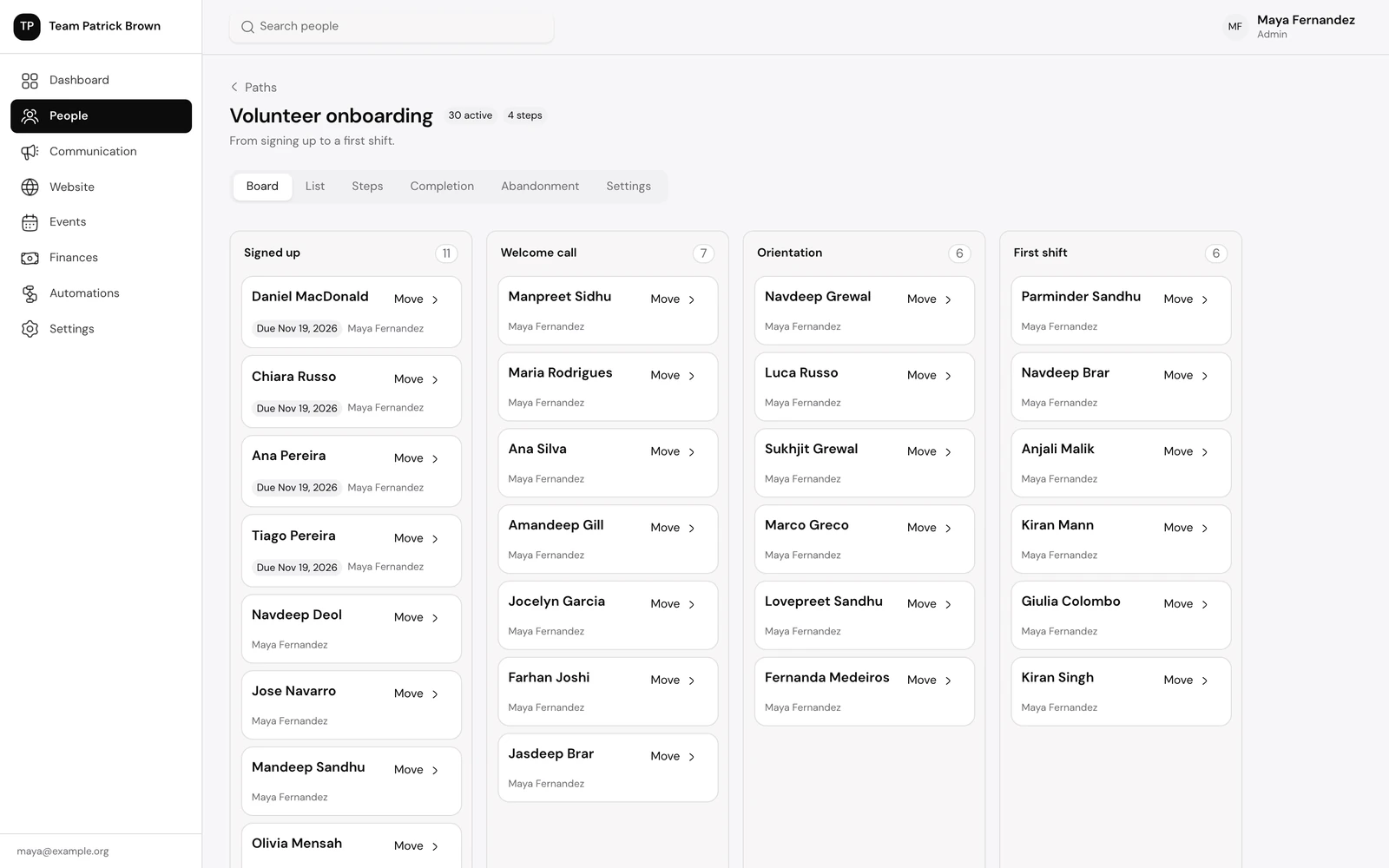
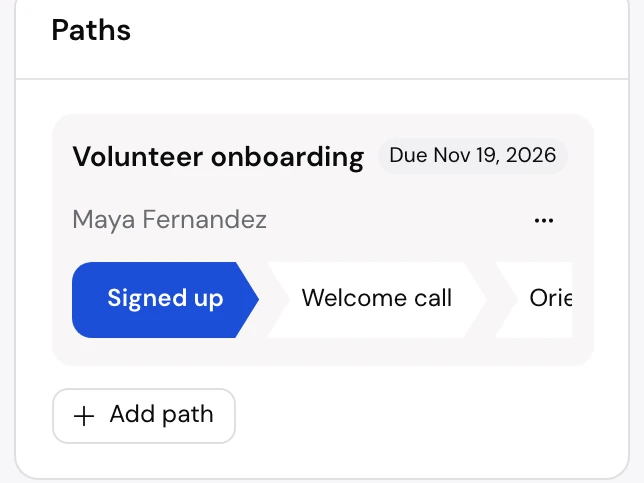
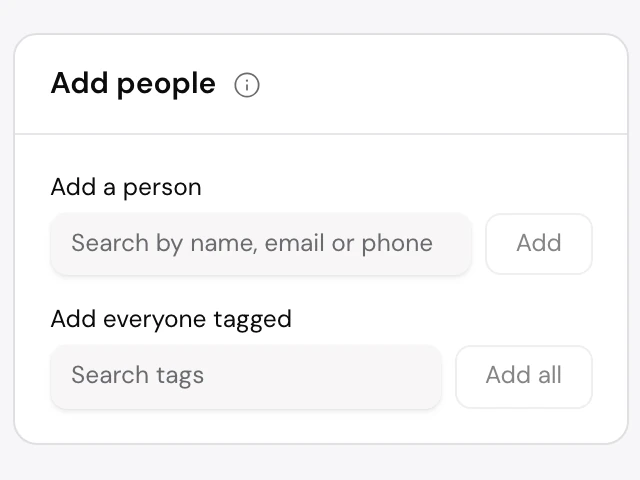
The filter builder answers questions like “which strong supporters volunteer or give?” in a few clicks, and saves the answer for the team. Lists gather people for a job; paths track each person through a series of steps, from sign-up to first shift.
- Combine criteria with all or any, and nest groups
- Saved filters, and add every match to a list in one step
- Lists with call view, data entry, batch update, split and export
- Path boards with due dates and an owner for each person
03 / Email
Write it once. Send only to a yes.
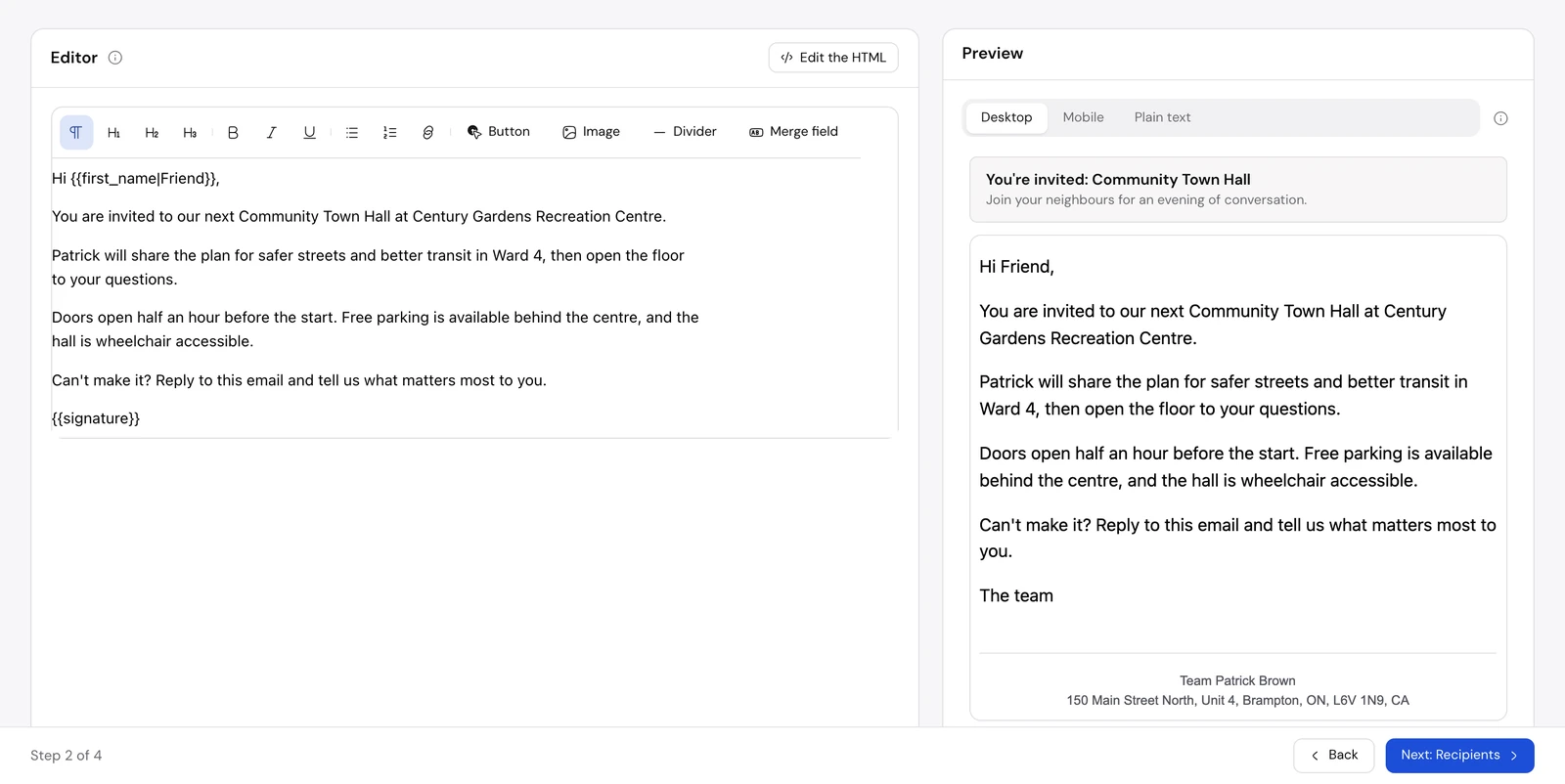
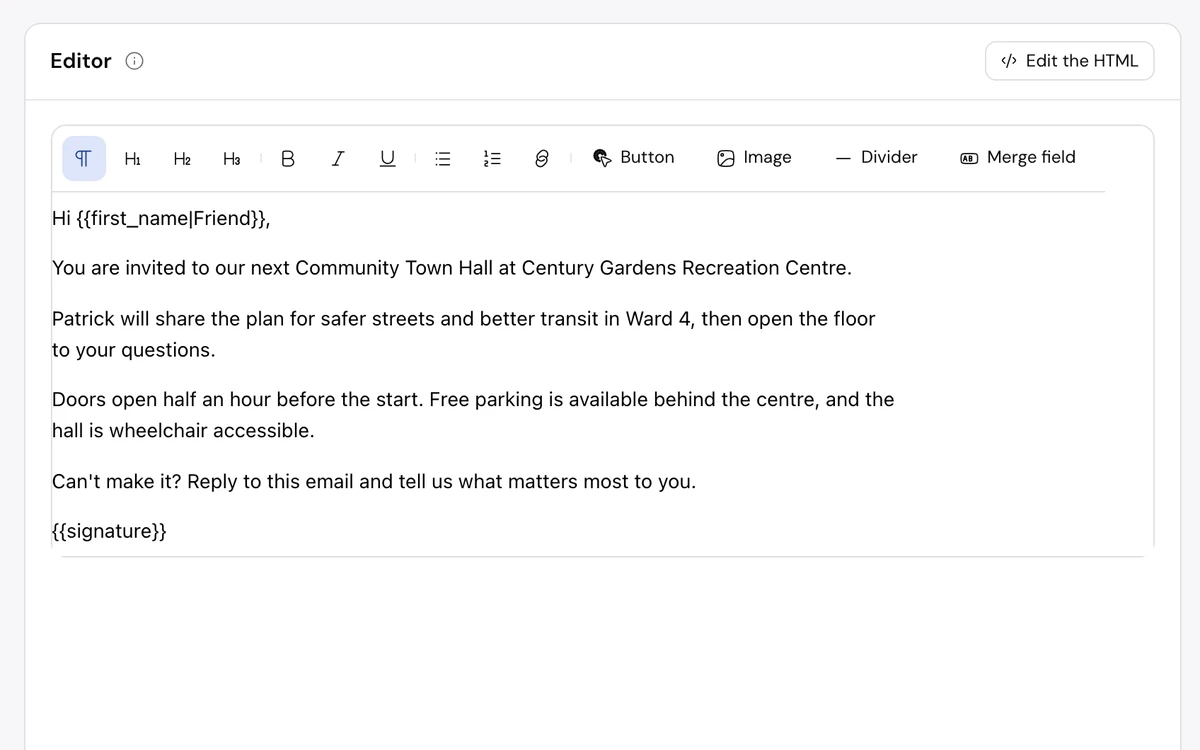
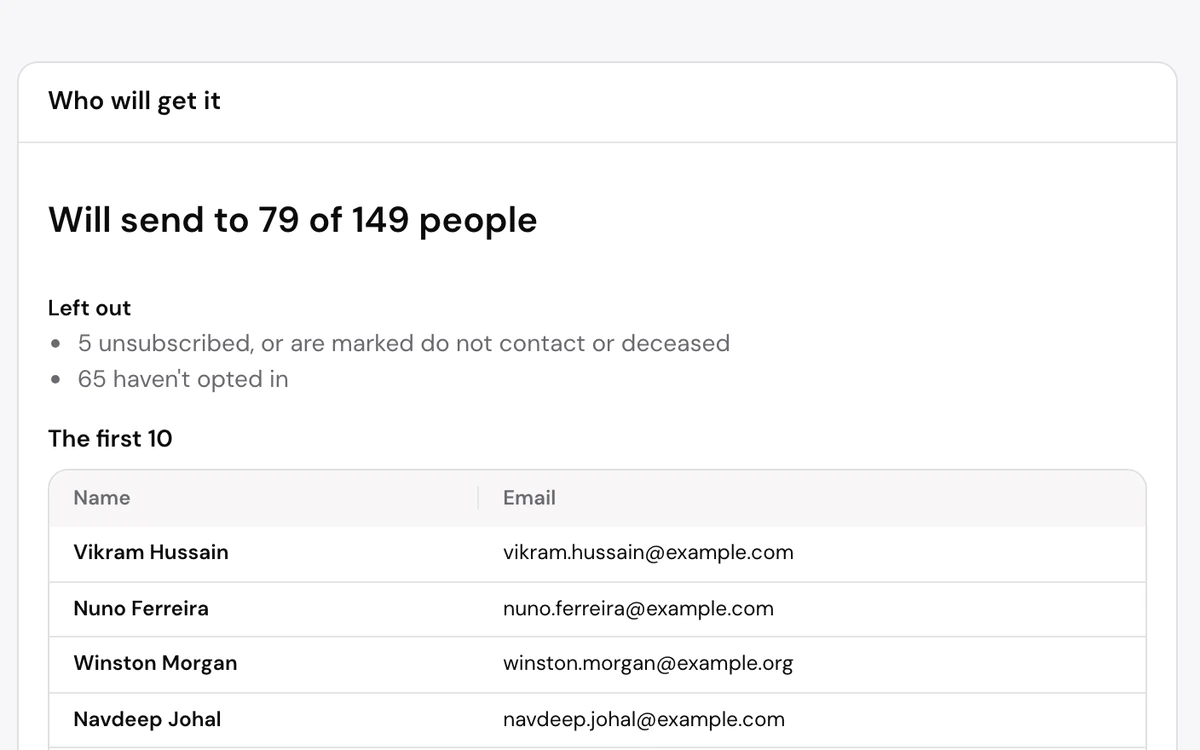
A four-step wizard takes an email from first draft to send: settings, content, recipients, review. Recipients are limited to people who agreed to hear from you, and the count shows who is left out and why.
- Visual editor or HTML, with merge fields and fallbacks
- Preview on desktop, on mobile and as plain text
- Scheduling, send statistics and unsubscribe handling
- Mailing address and unsubscribe link on every email
04 / Website
Pages that add people. Right to the database.
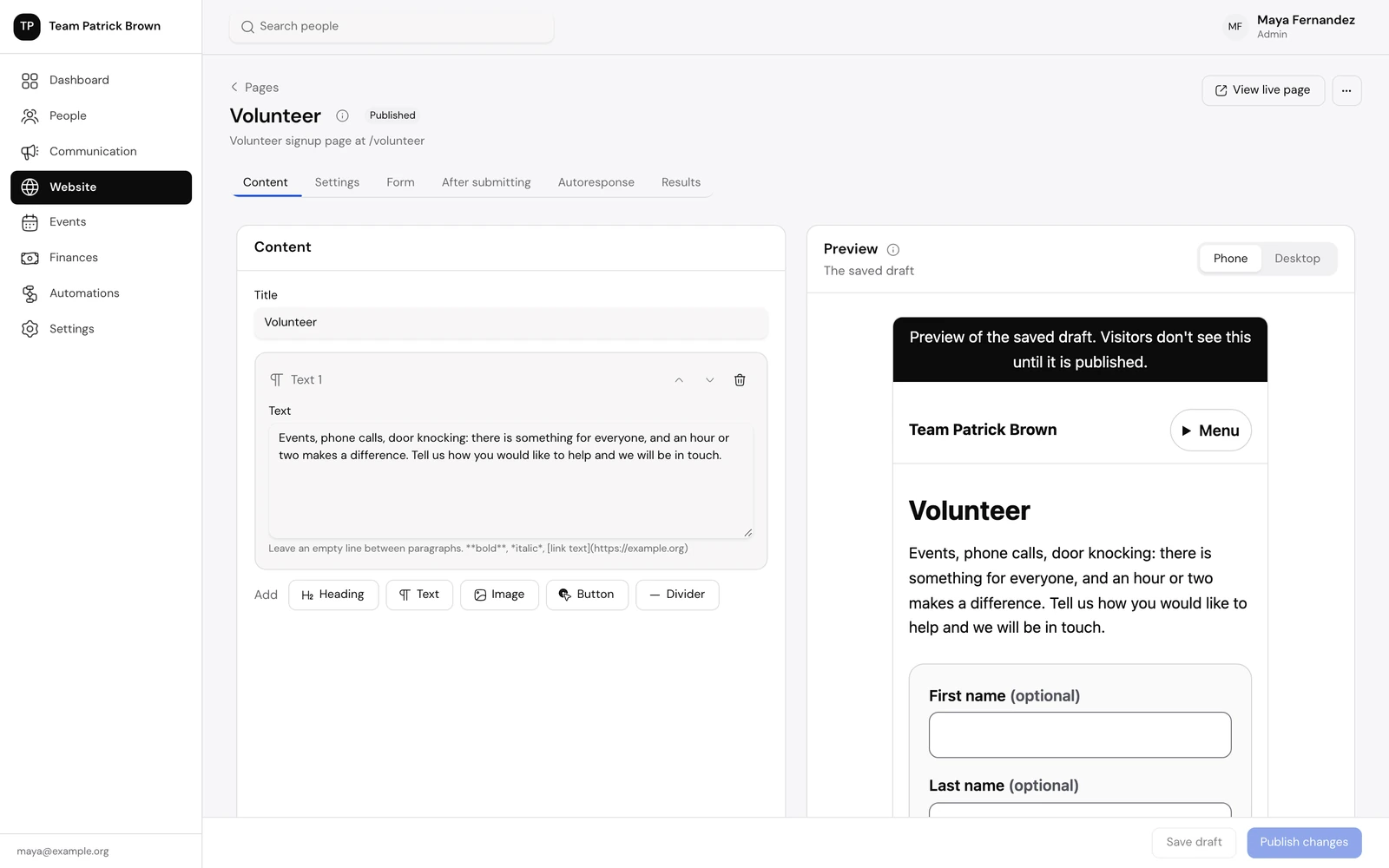
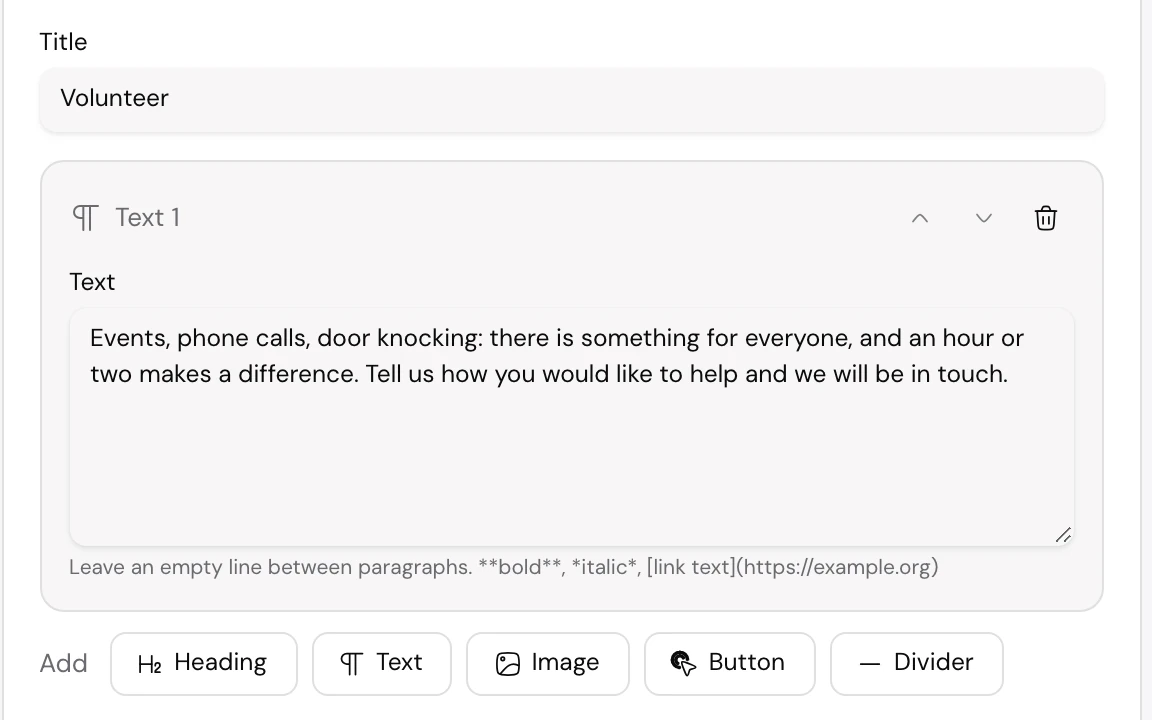
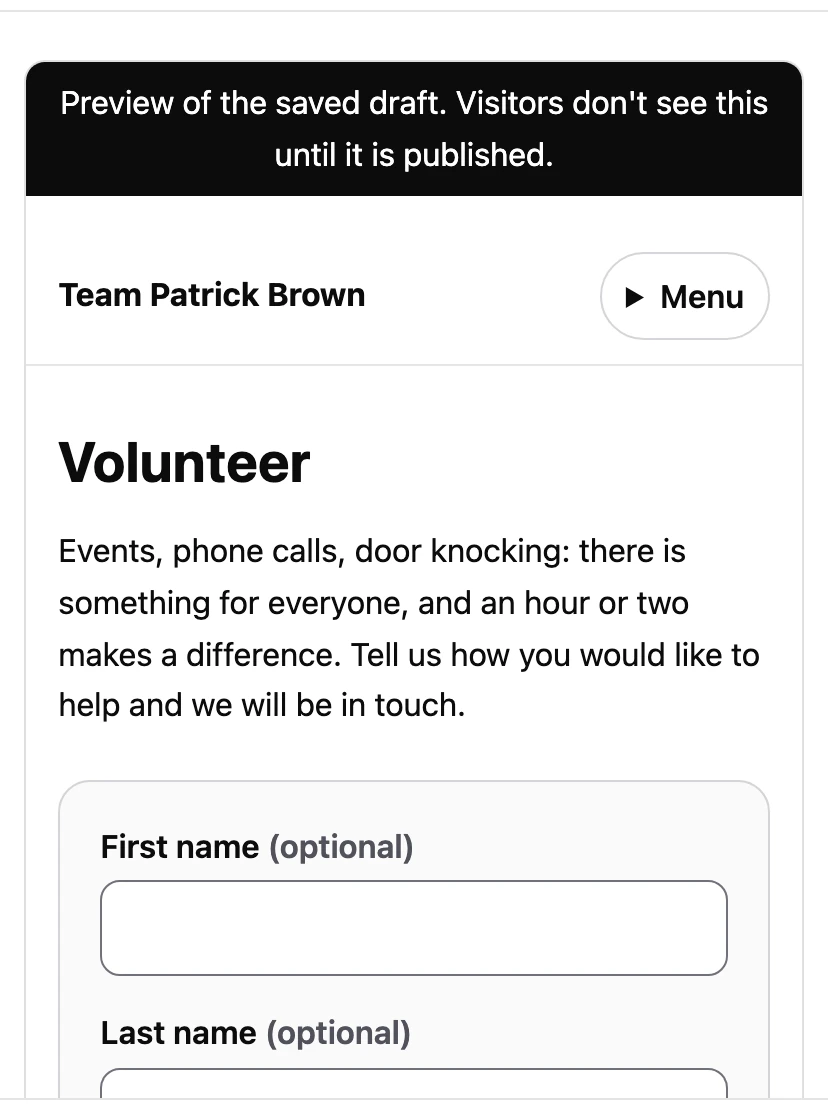
Each organization runs its own site on its own domain, with sign-up, petition, survey, volunteer, event and donation pages. Every submission can add tags, start a path, grant a membership or set a point person, and send an autoresponse.
- Edit in blocks with a phone and desktop preview, then publish
- Content, sign-up, petition, survey, volunteer, event and donation pages
- A public form never overwrites an existing supporter’s record
- What someone typed is kept with their submission
05 / Events
From RSVP to the door. One page per event.
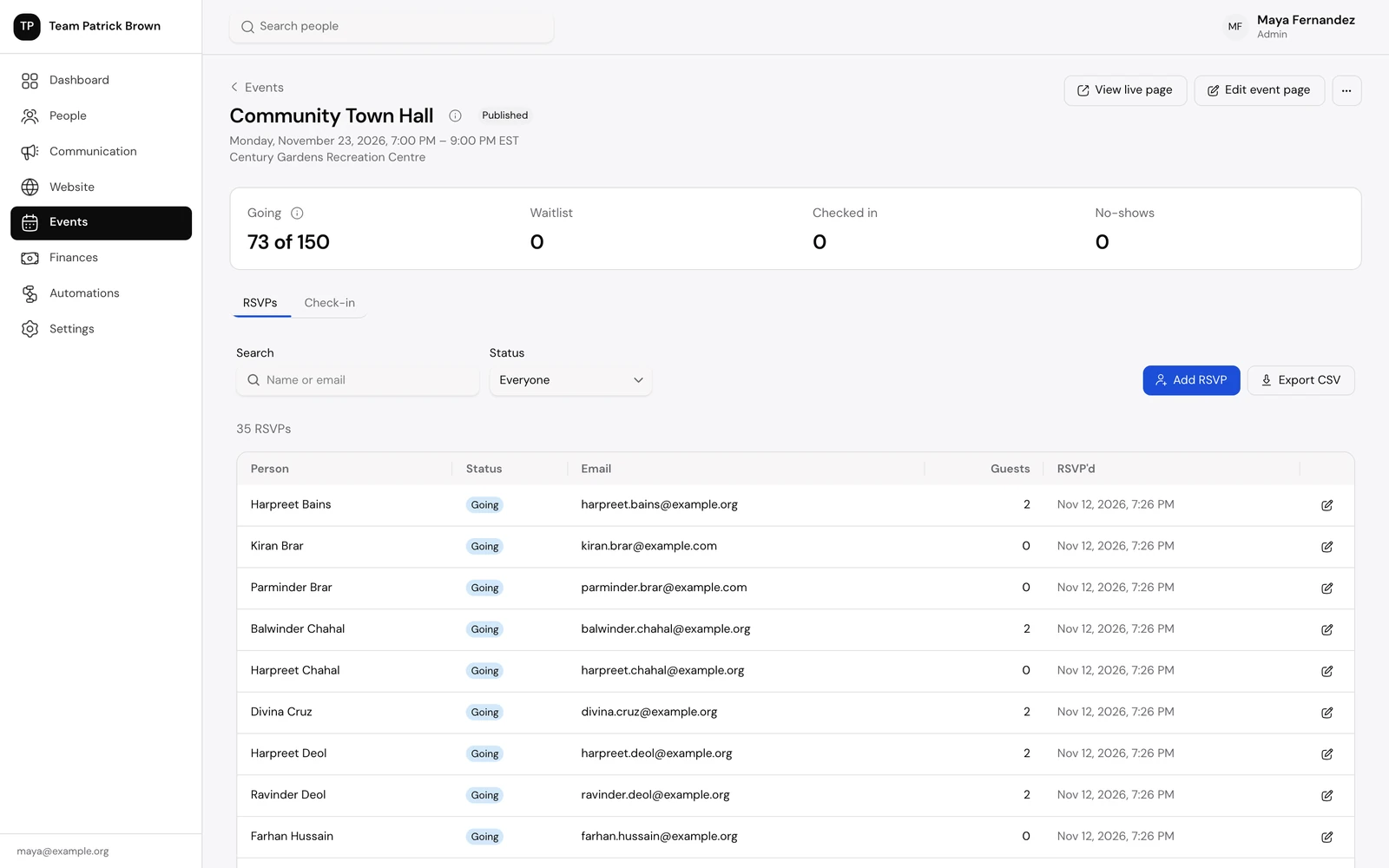
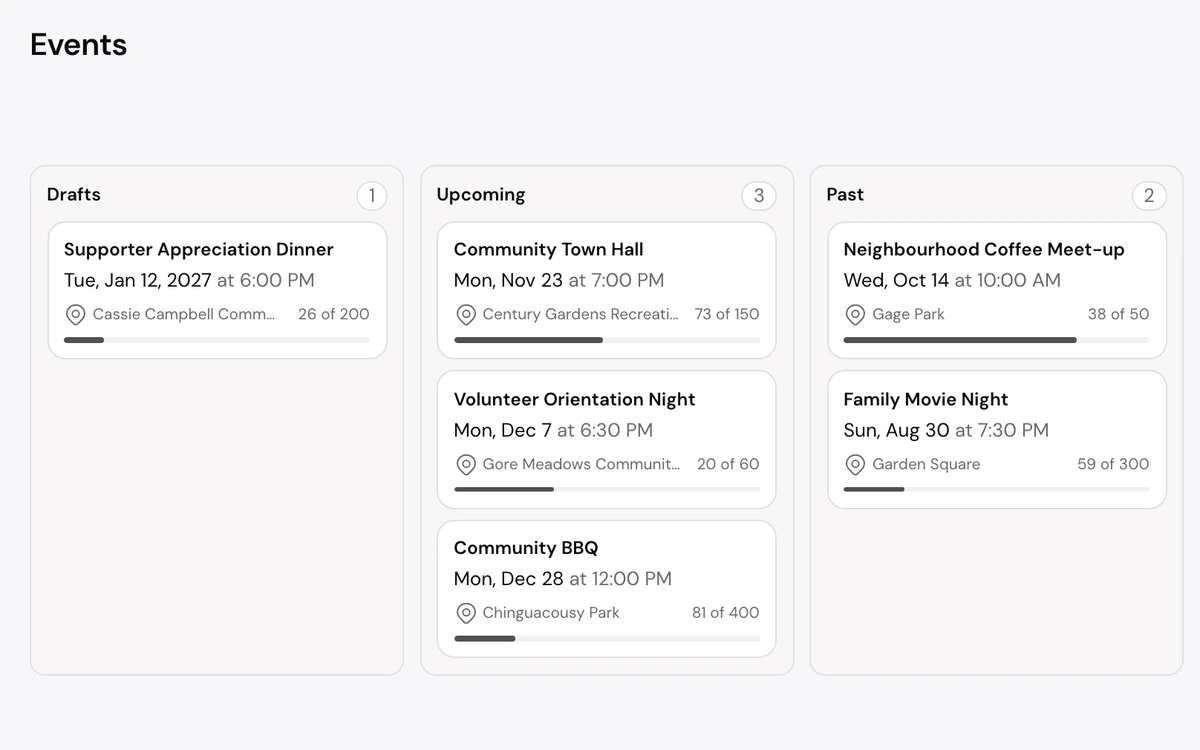
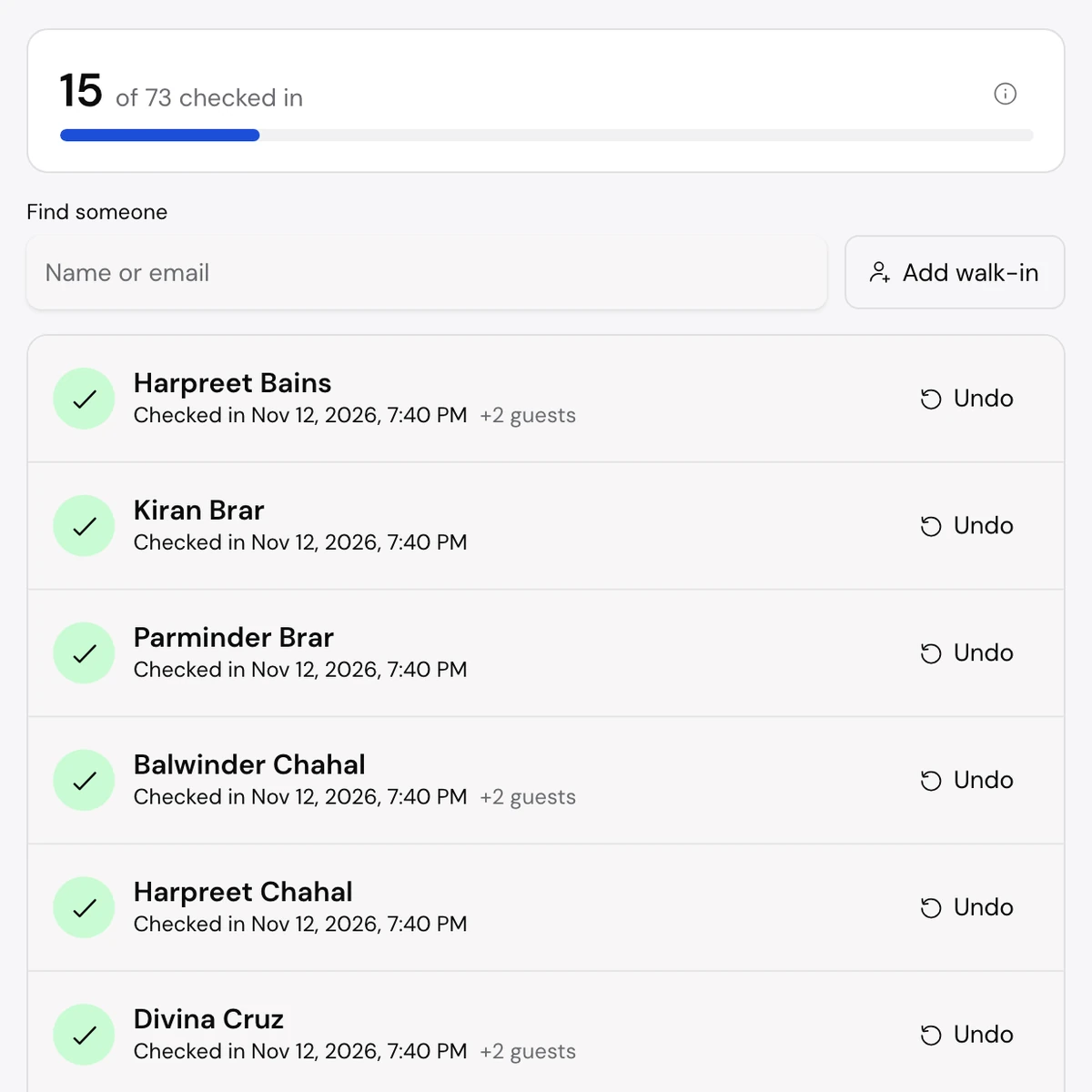
Every event has its own page, its own guest list and a check-in screen. Track capacity and the waitlist, send reminders before the day, and check people in from a laptop or a phone.
- Capacity, waitlist, guests and an RSVP export
- Paid tickets with orders and refunds
- Reminder emails before the event
- Check-in with walk-ins and undo
06 / Donations
Every gift on record. Online or by cheque.
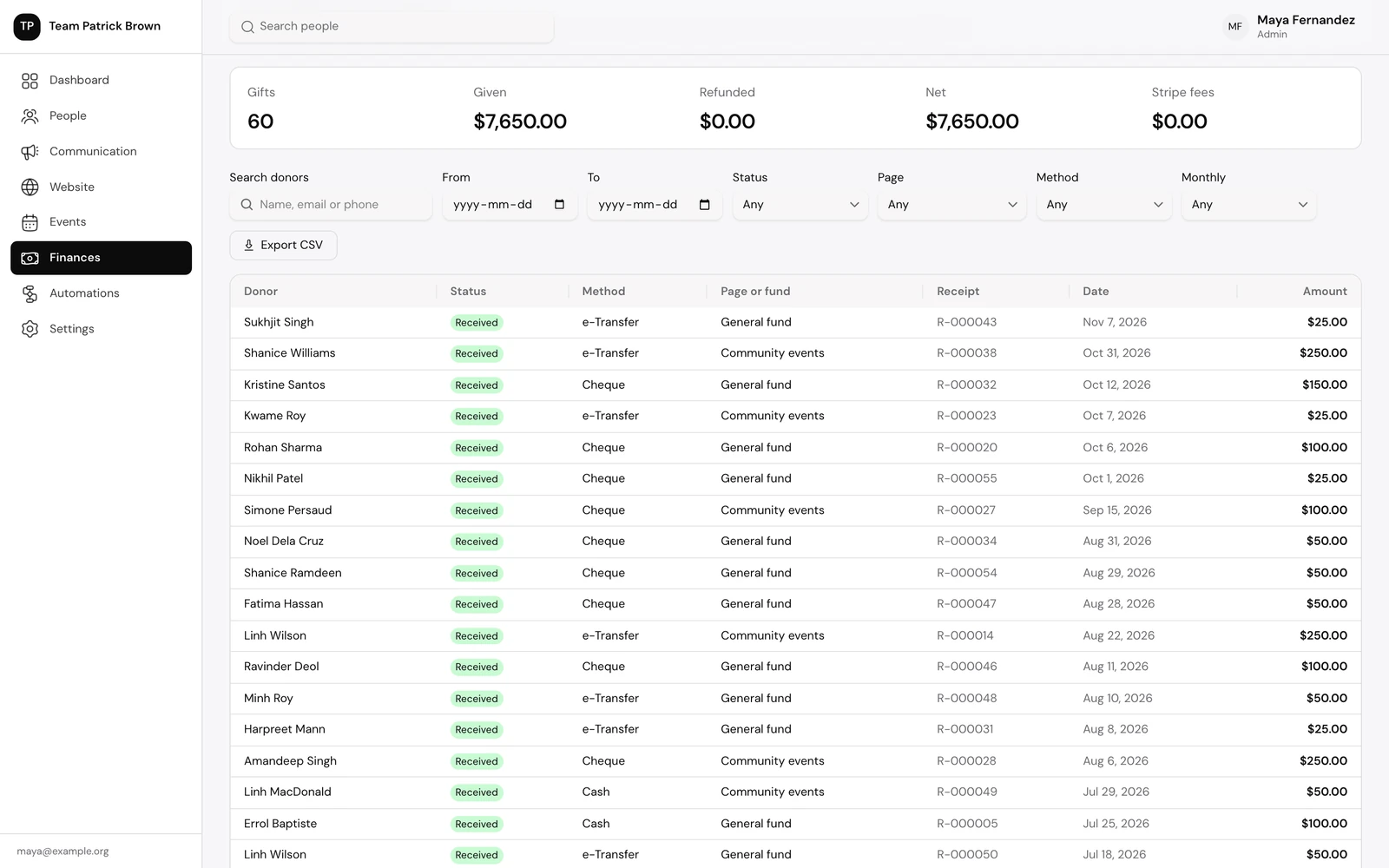
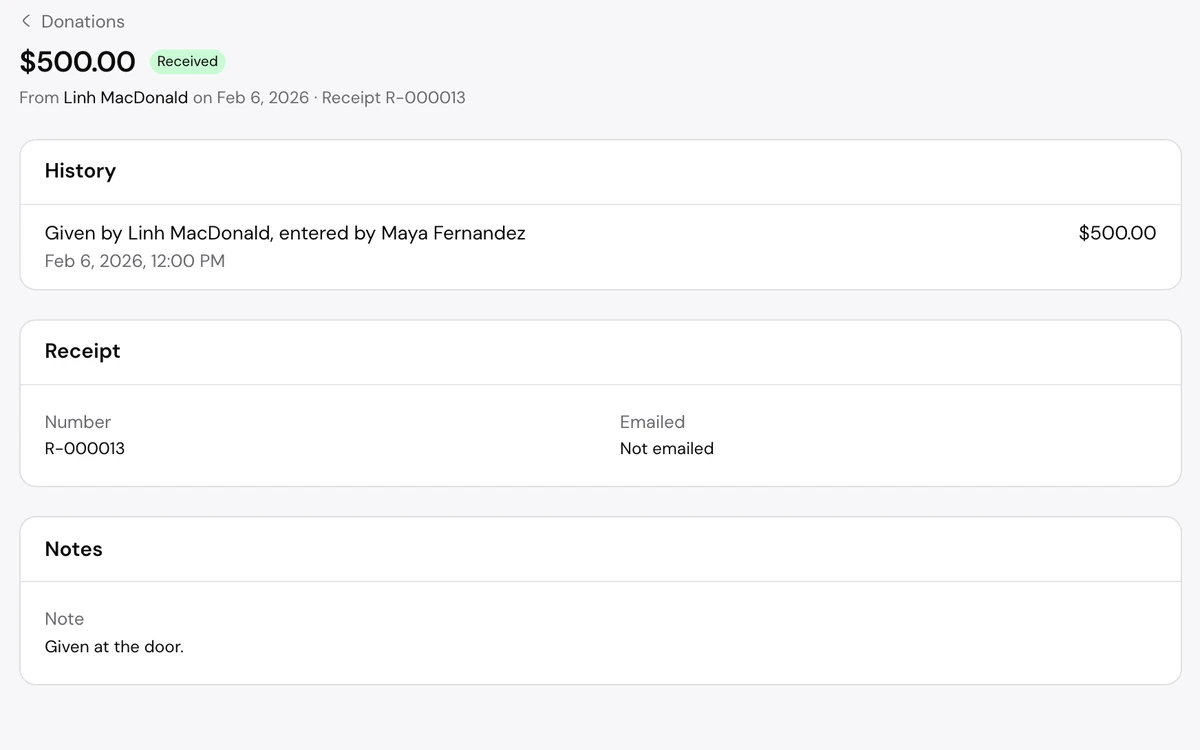
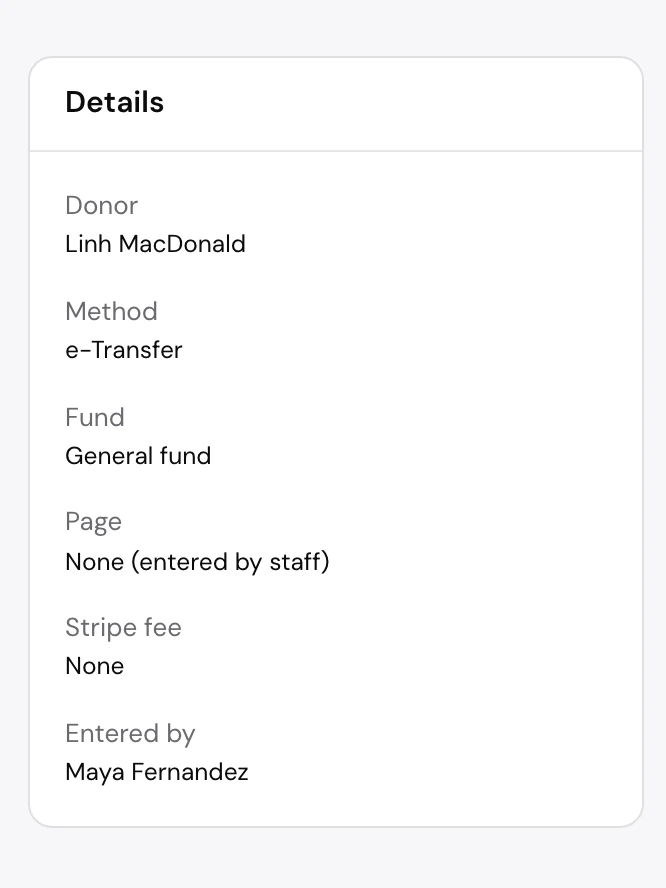
Every gift is tied to a person, a receipt and a fund. Online gifts, one-time or monthly, go through the organization’s own Stripe account; staff enter cheques, cash and e-transfers by hand.
- Totals for gifts, refunds, net and Stripe fees
- Filter by date, page, method and monthly gifts
- Receipt numbers, re-sent receipts and refunds
- Membership types with length, price and grace period
07 / Automations
Automate the routine. Build it on a canvas.
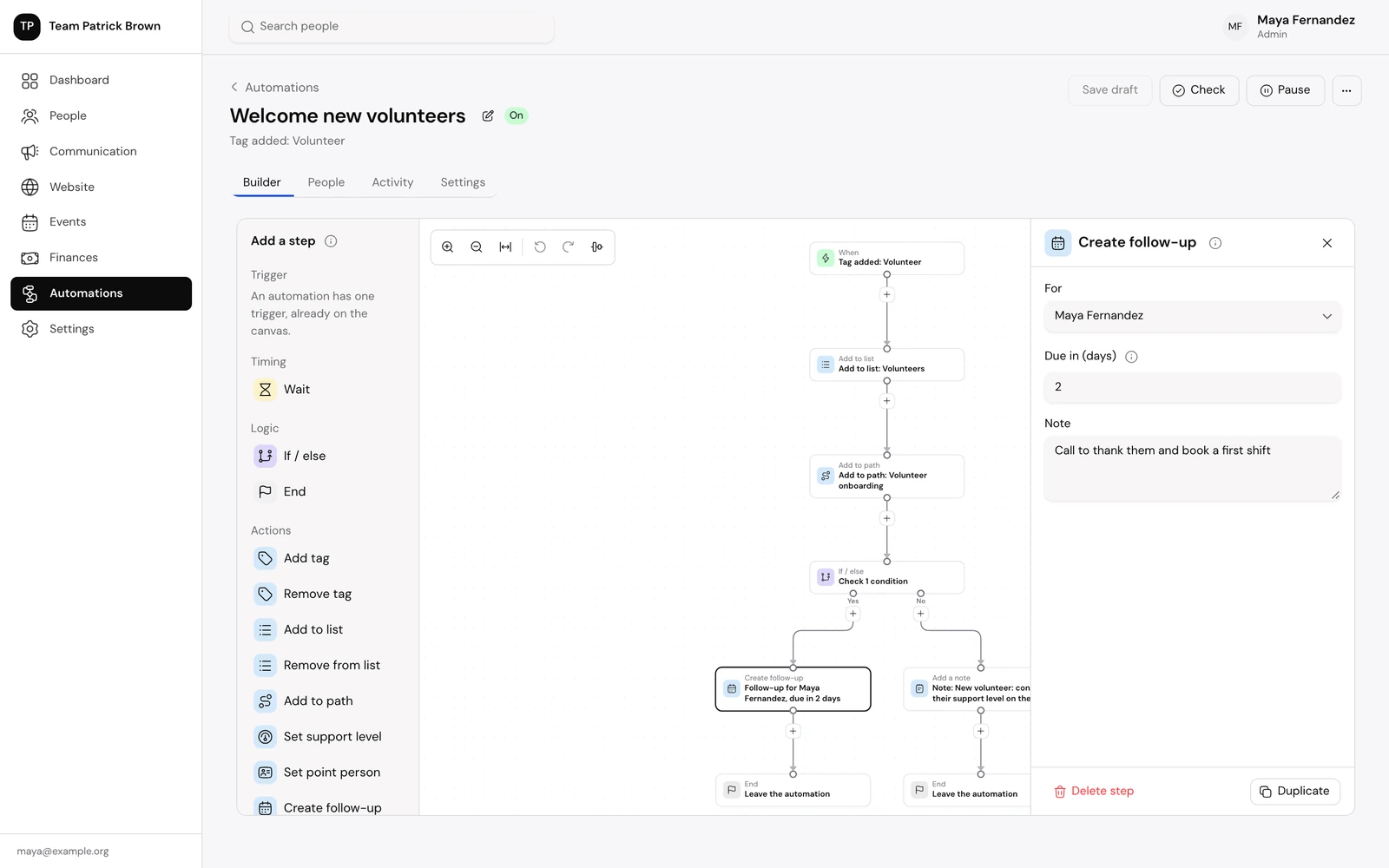
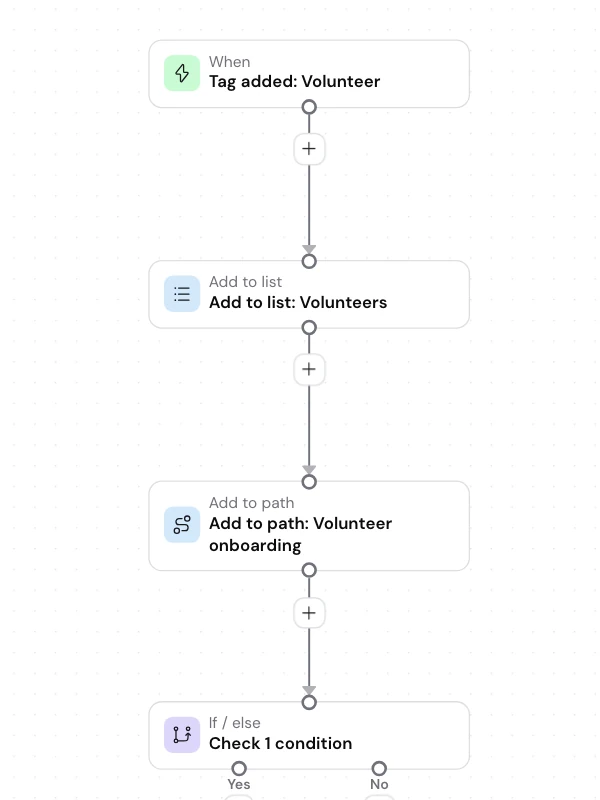
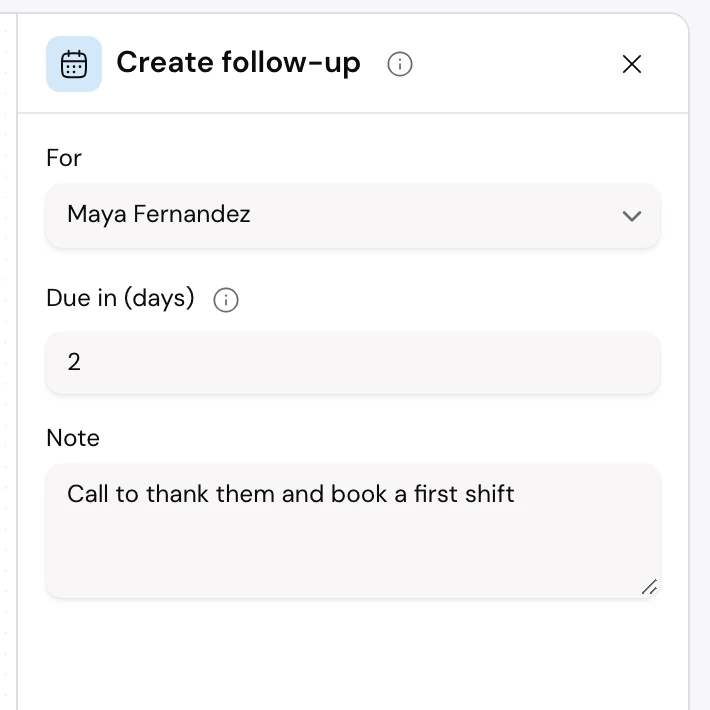
When something happens to a supporter, an automation takes the next steps for the team. Start from a template, such as welcoming a new sign-up or thanking a first-time donor, or start from scratch.
- Triggers from tags, lists, forms, RSVPs, gifts, memberships and paths
- Waits, if/else conditions and actions, added from a side panel
- A check finds anything unfinished before it can be turned on
- People and activity views show what every automation did
08 / Access
Each role sees enough. Checked twice.
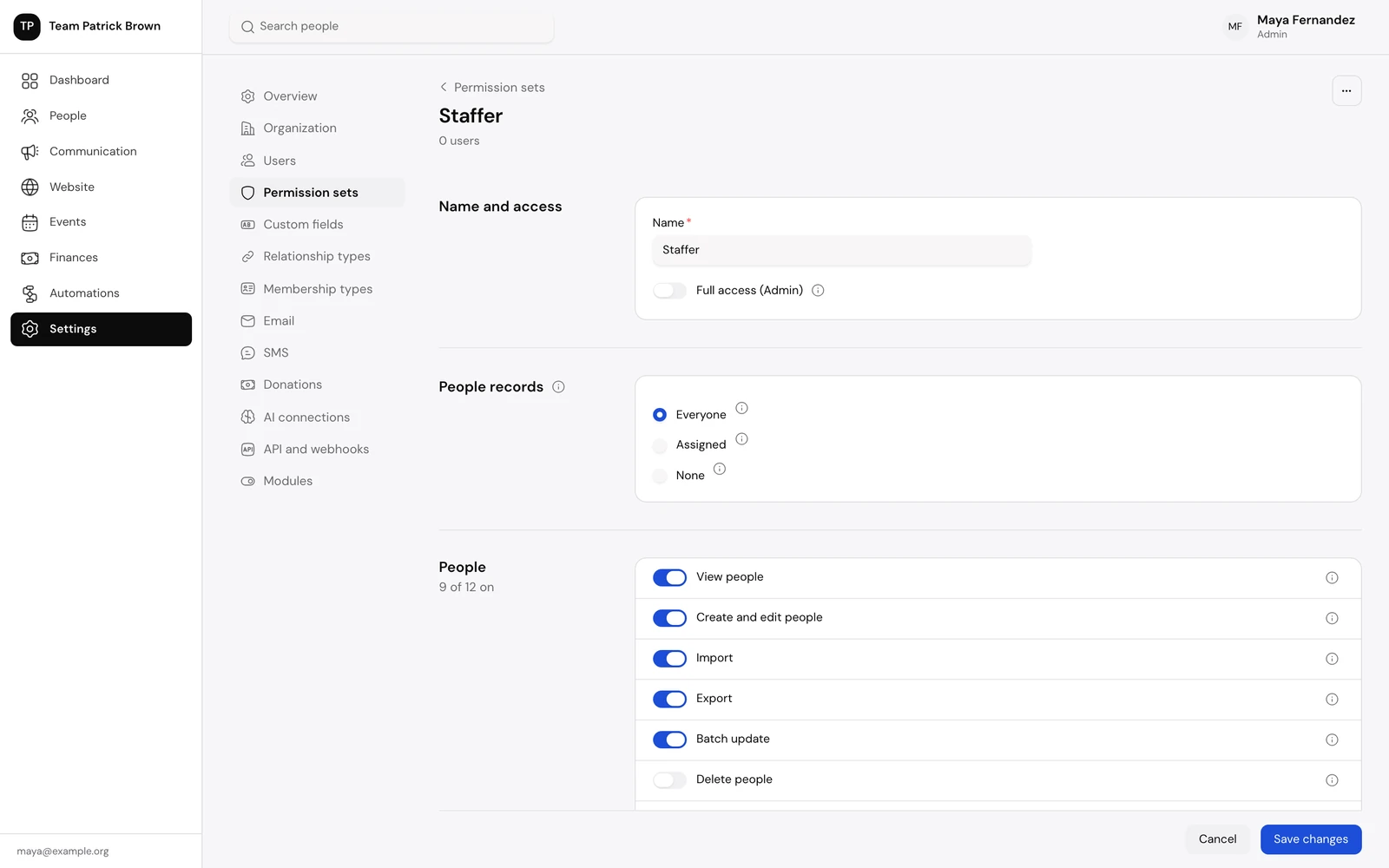
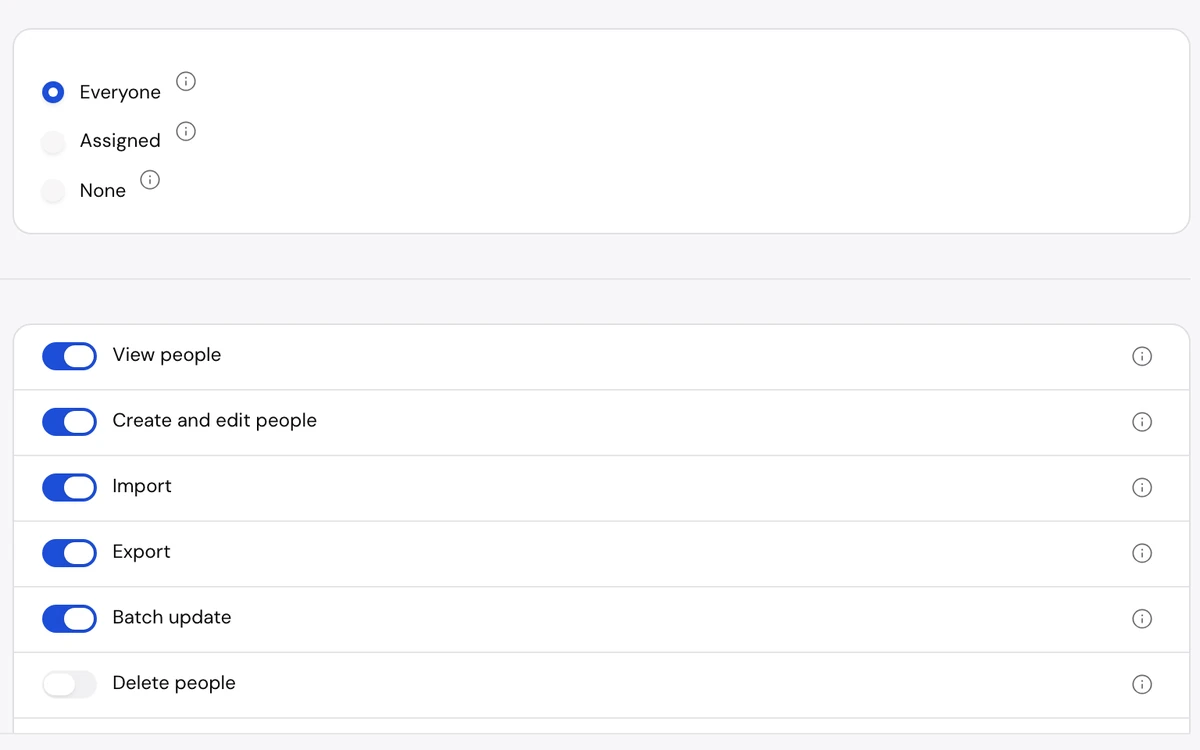
Permission sets decide what each role can see and do, and record scope limits which people records it can reach. Every request is checked at the front door and again where the data lives.
- Switches grouped by area, each with a plain description
- Record scope: everyone, only those assigned, or none
- Users join by invitation
- Important changes recorded in an audit log
09 / Also included
And the rest of the toolkit.
Households and relationships
Group people who live together, see combined giving, and record how people are connected.
Duplicates and merge
A nightly or on-demand check suggests matching records; compare them field by field and choose what to keep.
Imports
Map spreadsheet columns to fields, match people already in the database and get a report of every row to fix.
Text messages
Merge fields, keywords, a two-way inbox and STOP handling, sent through the organization’s own Twilio account.
Memberships
Membership types with a usual length, price and grace period, shown on each profile.
Public API and webhooks
A REST API described in OpenAPI, keys limited to a permission set, and signed webhooks retried for about a day.
Modules
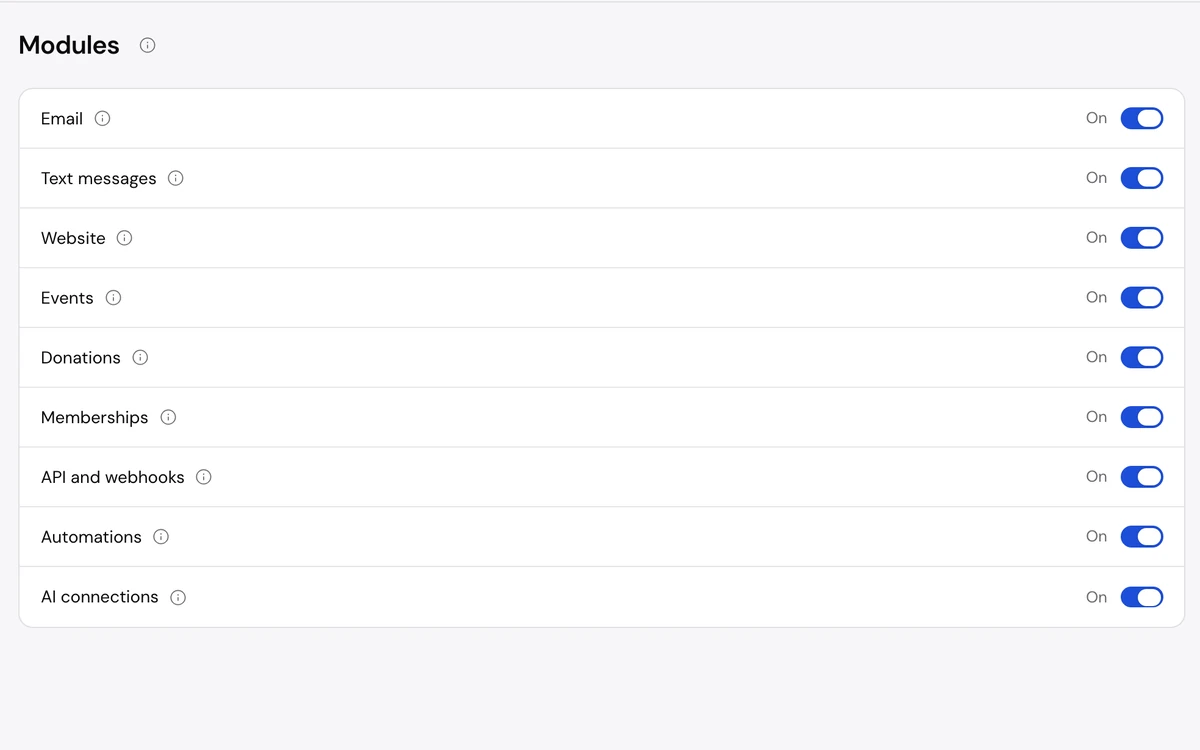
Switch email, texts, website, events, donations, memberships, automations and integrations on or off for the whole organization.
Works on phones
Navigation moves to bottom tabs, tables become cards and buttons are large enough to tap.
Search and shortcuts
Search people from anywhere with Cmd K, and press ? to see the keyboard shortcuts.
10 / Built for
What every organization gets underneath.
- White-labelEach client organization has its own name, logo, accent colour and website domain.
- A database per organizationEach tenant’s data is kept apart from every other organization’s.
- Runs on Cloudflare WorkersOnly one of them is reachable from the internet.
- Permission sets and record scopeChecked at the gateway and again where the data lives.
- Audit logChanges are recorded with who made them, including automations.
- Consent firstEmail consent, unsubscribes and STOP replies are honoured on every send.
- Public REST APIOpenAPI description, scoped keys and signed webhooks.
- The organization’s own accountsStripe and Twilio bill the organization directly; the platform holds no client funds.
Security / Compliance
Built on audited infrastructure.
Organizing Platform runs on Cloudflare infrastructure, which is independently audited against the security and privacy standards below. Your data is stored and served by that same infrastructure.

Runs on Cloudflare infrastructure, which is independently audited for:

SOC 2 Type II
An independent auditor tested Cloudflare’s security, availability and confidentiality controls over a period of time.

ISO/IEC 27001:2022
Cloudflare runs a certified information security management system.

ISO/IEC 27017:2015
Cloudflare follows the international guidelines for security controls in cloud services.

ISO/IEC 27018:2019
Cloudflare follows the international code for protecting personal data in the cloud.

ISO/IEC 27701:2019
Cloudflare runs a certified privacy information management system.

C5:2020
Cloudflare is audited against Germany’s federal cloud security criteria catalogue (BSI C5).

CSA STAR
Cloudflare is listed in the Cloud Security Alliance’s public registry of cloud provider security assessments.

EU Cloud Code of Conduct
Cloudflare adheres to an approved code of conduct under Article 40 of the GDPR.
These certifications and attestations belong to Cloudflare, Inc. and cover Cloudflare’s infrastructure. Organizing Platform and SolarIT Labs do not hold them.
See Cloudflare’s current certifications (opens in a new tab)

SolarIT Labs is working toward its own SOC 2 attestation for Organizing Platform. Until that audit is complete, the certifications shown here are those of Cloudflare, the infrastructure the platform runs on.
Security / In the product
Security built in, not bolted on.
These protections are part of the product itself, switched on for every organization.
-
In the product / Access
Access
- Invitation-only accounts.Nobody can sign up on their own; every account starts with an invitation from your organization.
- Strong passwords.Passwords must be at least 10 characters long.
- Safe social sign-in.Google or Microsoft sign-in only works with an email address the provider has verified, and never takes over an existing account.
- Permission sets with record scope.Each team member gets a permission set that controls what they can do and whether they see everyone, only the people assigned to them, or no one.
- Separate operator console.Platform administration runs on its own address with its own sign-in, apart from every organization’s workspace.
-
In the product / Data
Data
- A separate database for each organization.Every organization’s data lives in its own isolated database, never in a table shared with other organizations.
- Audit log.Every change records who made it and when, including changes made through an API key or an automation.
- Encrypted provider credentials.Texting account tokens and webhook signing secrets are encrypted before they are stored.
- Card details stay with Stripe.Donations and tickets are paid on Stripe’s own checkout page, in your organization’s own Stripe account, so card numbers never pass through the platform.
- Consent and unsubscribe built in.Every email carries a one-click unsubscribe, and email and texts are never sent to anyone who opted out.
-
In the product / Integrations
Integrations
- Limited API keys.Each API key is tied to a permission set you choose, and only a fingerprint of the key is stored, never the key itself.
- Signed webhooks.Every webhook is signed so your systems can confirm it came from your workspace and was not replayed.
- Public addresses only.Webhooks can only be sent to public, secure web addresses, never to private networks.
-
In the product / Network
Network
- Encrypted in transit.All traffic is served over HTTPS through Cloudflare’s network, and browsers are told to always use a secure connection.
- Encrypted at rest.Stored data is encrypted at rest by Cloudflare’s storage services.
- Rate limits.Sign-in, public forms and the API all limit how many requests one visitor or key can make, which slows down password guessing and abuse.
- Locked-down public pages.Public website and action pages send a strict Content-Security-Policy and run no scripts of their own.
- Optional bot check.Public forms can require Cloudflare Turnstile, a privacy-friendly check that stops automated sign-ups.
Deployment / Options
Run it where it suits you.
Most organizations let us host it. If your policies call for more control, there are two other ways to run it.
- Standard
Hosted by SolarIT Labs
We run Organizing Platform for you on Cloudflare infrastructure. Updates, monitoring and backups are handled by us, and your organization gets its own isolated database and its own address.
- On request
In your own Cloudflare account
We deploy the platform into a Cloudflare account your organization owns and pays for. Your data stays in your account, under your access controls and your agreement with Cloudflare. A paid Workers plan is required.
- Scoped engagement
On your own cloud or premises
If you need it to run outside Cloudflare, on another cloud or in your own data centre, we can scope that with you as a dedicated project. The platform is built on Cloudflare’s developer platform, so this means adapting its storage, queues and background jobs to your environment. We agree the scope, timeline and who runs it before any work starts.
Next / A walkthrough
See how it would fit. We’ll show you around.
Tell us how your organization works today: who you reach, how you raise money and who on the team does what. We’ll show you how Organizing Platform fits, screen by screen.